Apple iOS 26.2 Fixes 20+ Security Issues
iOS 26.2 is a behavioural update.
Executive Summary
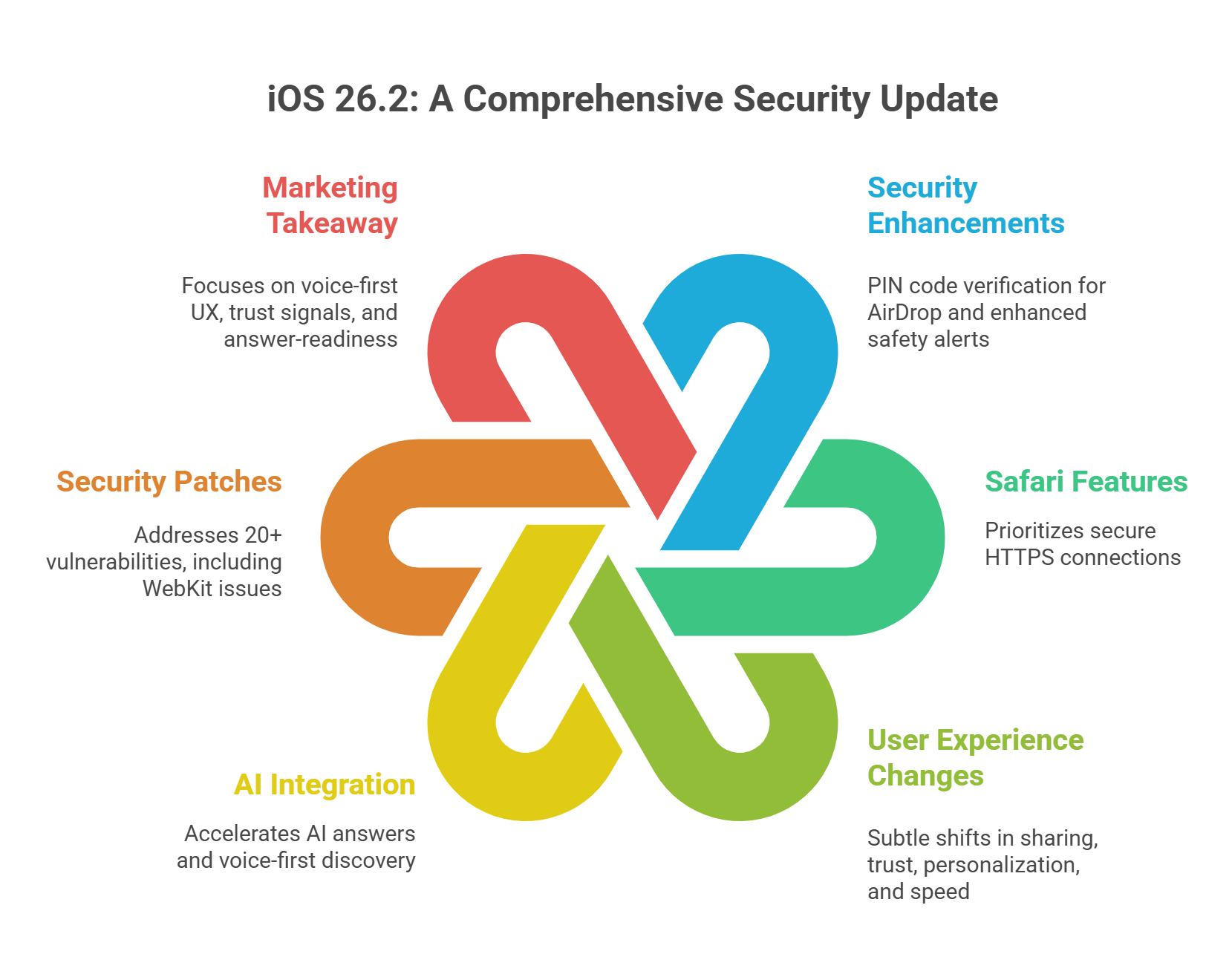
Apple's iOS 26.2 update is more than just a routine patch; it's a critical security overhaul addressing sophisticated zero-day vulnerabilities that were actively being exploited. Beyond these essential fixes, the update introduces meaningful user-facing security enhancements, including PIN code verification for AirDrop transfers to block unwanted file sharing, richer "Enhanced Safety Alerts" for US users in times of crisis, and new Safari features that prioritize secure HTTPS connections, along with improved management of passwords for better security practices. Updating to iOS 26.2 is essential to protect your device from potential exploits and leverage these robust new safety tools.
The update subtly changes how people: share (AirDrop verification codes) trust (security patches for exploited WebKit issues) personalise (lock screen opacity controls) act fast (Reminders “urgent” alarm option) On iOS, background security updates work by automatically downloading and installing critical security patches—such as those for WebKit vulnerabilities—without requiring a full system update. This helps ensure devices are protected against newly discovered threats while minimizing disruption for users.
share (AirDrop verification codes)
trust (security patches for exploited WebKit issues)
personalise (lock screen opacity controls)
act fast (Reminders “urgent” alarm option)
Consumers are already shifting to AI answers and voice-first discovery, expecting instant clarity and fewer clicks. iOS 26.2 accelerates that with features that enhance the experience for both iOS and android users. If your iPhone gets stuck during a security update, try performing a force restart by pressing and quickly releasing the volume up button, pressing and quickly releasing the volume down button, then holding the side button until you see the Apple logo. If the issue persists, connect your device to a computer, open Finder or iTunes, and follow on-screen instructions to update or restore your iPhone.
What shipped: Apple released iOS 26.2 for iPhone 11 and newer, adding Lock Screen opacity controls, AirDrop verification codes, Reminders “urgent” alarm behaviour, offline lyrics in Apple Music, and Enhanced Safety Alerts in the U.S.
What changed for security: Apple says iOS 26.2 patches 20+ vulnerabilities, including two WebKit issues reportedly exploited in “extremely sophisticated” targeted attacks on older iOS versions, which are particularly concerning for newer users.
Marketing takeaway: More voice-first UX and frictionless sharing changes “micro-moments” of discovery. More security attention increases the value of trust signals (policies, provenance, verified identity) in SEO/AEO and AI answer surfaces. Apple recommends restarting your iPhone after a security update because it ensures any new security patches and system changes are properly applied. Restarting helps the device complete the update process, maximizing protection against vulnerabilities and maintaining optimal performance.
More voice-first UX and frictionless sharing changes “micro-moments” of discovery.
More security attention increases the value of trust signals (policies, provenance, verified identity) in SEO/AEO and AI answer surfaces.
Brands that win will be answer-ready: structured, fast, credible—less dependent on “click-first” journeys.
iOS Updates Change Funnels
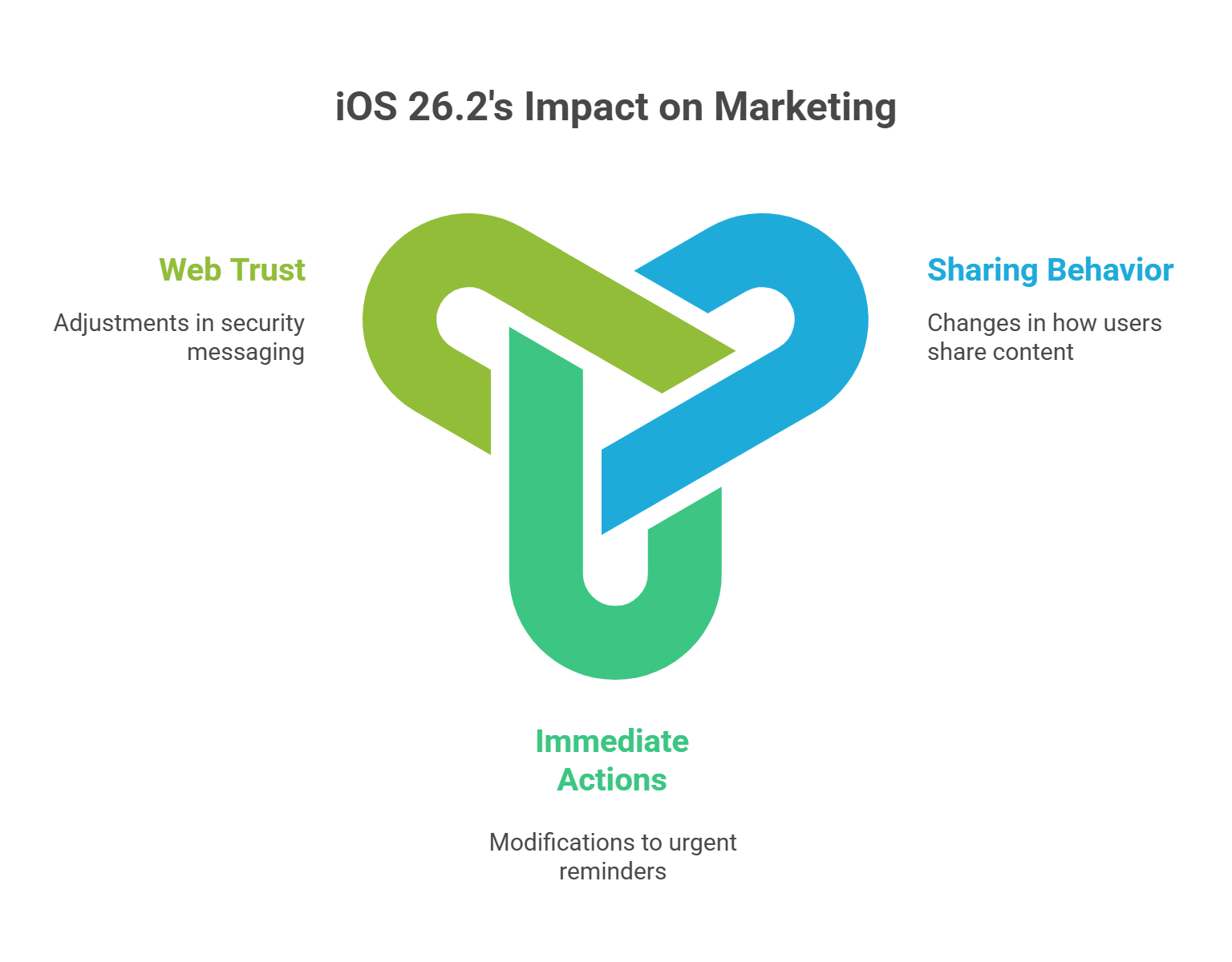
iOS 26.2 shifts three behaviours that matter directly to marketing: How people share (AirDrop verification changes “send it to me” behaviour, impacting the sharing of apple products) How people act immediately (urgent reminders become alarm-like) For those looking to stay informed about the latest iOS security updates, official release notes can always be found on Apple’s support website under the iOS section. These notes provide detailed information about security improvements and any new features affecting your ios device or app.
How people share (AirDrop verification changes “send it to me” behaviour, impacting the sharing of apple products)
How people act immediately (urgent reminders become alarm-like)
How people trust the web (security messaging changes risk sensitivity) If your funnel assumes customers will: click → browse → compare → then convert …you're going to feel more volatility. To manually force an iOS security update if it hasn't been installed automatically, go to your device's Settings, tap General, and then Software Update. If an update is available, you can download and install it immediately. This ensures your device is protected, which can increase user trust and potentially improve conversion rates in your funnel.
If your funnel assumes customers will:
click → browse → compare → then convert
…you're going to feel more volatility.
Because the new default is increasingly:
ask → shortlist → compre → share → act (often without deep browsing through zero clicks) and may be influenced by an extremely sophisticated attack on consumer behavior.
That's AEO/GEO in one sentence.
What’s New in iOS 26.2
1) Lock Screen “Liquid Glass” Opacity Controls: The Personal Homepage Gets More Personal
Apple added opacity controls so users can adjust how the Lock Screen clock appears to enhance battery life.
Marketing signal: The Lock Screen keeps evolving into a personal dashboard (glance-first, context-first). That means “discovery” doesn't always start with a search bar—it starts with a message, a share, a saved item, a voice prompt, or a quick action.
What to do:
Build content that answers common questions fast
Lead with clarity in the first 80–120 words
Reduce friction when users arrive from shares or AI answers
2) AirDrop Verification Codes: Safer Sharing With Less Mistakes
AirDrop now supports a verification code system for sharing with non-contacts, enhancing the functionality of Apple's iPhone operating system.
Marketing signal: Sharing is moving toward verified micro-transactions of trust. Users are being trained to confirm identity and intent.
Make your brand identity consistent across pages (name, address, policies, logos)
Ensure OG tags and page titles are clean (sharing should look credible)
Surface policies clearly (returns, warranty, shipping, support)
3) Reminders “Urgent” Alarm Option: Intent Becomes Time-Sensitive
Reminders now include an urgent alarm mode for iPadOS.
Marketing signal: Apple is leaning into action UX. Consumers don't want more tabs—they want the OS to help them act.
Add “next action” clarity to key pages
Use structured CTAs: Book / Buy / Compare / Get quote
Write answer blocks that reduce hesitation (trust, guarantees, delivery, returns)
4) Offline Lyrics in Apple Music: Reliability Without Connectivity
iOS 26.2 adds offline lyrics in Apple Music.
Marketing signal: Consumers value reliability. That preference spills into commerce: if your experience is slow, heavy, or confusing, users will bounce and ask an AI assistant instead.
Optimise performance (Core Web Vitals)
Simplify page structure
Make key information accessible without scroll marathons
5) Enhanced Safety Alerts (U.S.): “Official Guidance” Becomes More Default
Enhanced Safety Alerts provide emergency notifications and guidance for U.S. users.
Marketing signal: Users increasingly expect clear guidance in stressful moments. That's exactly what “answer engines” do—and what AEO should emulate.
Write FAQs that reduce anxiety
Make verification steps obvious
Avoid anything that looks like dark patterns
The Security Story: Why the WebKit Fixes Matter
Apple says iOS 26.2 patches 20+ vulnerabilities, including WebKit issues reportedly exploited in targeted attacks. Additionally, the security updates address concerns related to the browser engine that underpins Safari and web rendering on iOS.
In plain English:
WebKit underpins Safari and web rendering on iOS
Web-based exploits are high-value because they can trigger via malicious content
When Apple discloses a patch, attackers often move faster against unpatched users, making features like Apple's Lockdown Mode essential for safeguarding sensitive data. Forbes notes CVE identifiers for the WebKit issues and reinforces updating via Settings rather than links/pop-ups.
Forbes notes CVE identifiers for the WebKit issues and reinforces updating via Settings rather than links/pop-ups.
Marketing takeaway: Security is now a conversion variable.
When people feel the web is risky, they:
trust fewer links
avoid suspicious flows
prefer verified sources
rely more on AI assistants for shortlists and summaries
Which means: trust signals become discoverability signals.
Every iOS Update Quietly Reshapes Consumer Behaviour
This is why I called it a marketing update disguised as a software update, including essential security updates.
iOS 26.2 pushes:
more safety
more verified sharing
more urgent micro-actions
more glance-first behaviour
That reduces tolerance for:
slow pages
unclear policies
inconsistent product info
anything that looks suspicious
So the winners will be answer-ready.
What This Means for SEO + AI Answers
Traditional SEO is still necessary. But the competition is moving toward AEO / GEO because discovery is collapsing:
fewer clicks
fewer pages per session
more decision-making inside answer engines
Trust Signals That Matter in AEO
Treat these as content assets—not legal boilerplate:
Policies (clear, scannable, indexable)
Returns, shipping, warranty, support, privacy
Verified identity
Contact details, about page, editorial standards, author info
Structured answers including a major update
FAQs, comparison sections, specs, summaries
Consistency across channels
Same product names, same pricing rules, same promise
Goal: Make it easy for AI systems to confidently represent your brand.
Practical AEO AI Answers Checklist: What Brands Should Do This Week
Step 1 — Treat OS updates as discovery triggers
Add iOS updates to your weekly growth review: not as “Apple news,” but as behavioural change.
Step 2 — Build AEO-ready product/service pages
Minimum requirements:
2–3 sentence “answer-first” intro regarding the app.
clear “who it's for” + “why it wins”
pricing explained simply
policy/trust block above the fold (where possible)
8–12 FAQs that mirror real buyer questions
schema where relevant (FAQPage, Product, Organization)
Step 3 — Track AI-origin traffic as its own channel
Stop lumping it into “Organic.” Segment:
AI referrals
assisted conversions
landing pages most cited/quoted
Step 4 — Stitch SEO + PPC + CRM into one loop
Operate one learning system:
SEO/AEO finds demand questions
PPC validates and scales intent fast
CRM captures and nurtures
AI automates clustering, QA, and iteration
This is how you go from “publishing content” to “operating a growth system.”
Top 10 iOS 26.2 FAQs
1) What devices support iOS 26.2?
iOS 26.2 is available for iPhone 11 and newer devices.
2) What are the biggest new features in iOS 26.2?
Notable updates include lock screen opacity controls, AirDrop verification codes, Reminders urgent alarms, offline lyrics in Apple Music, and Enhanced Safety Alerts in the U.S.
3) What are AirDrop verification codes and why were they added?
AirDrop verification codes add a confirmation step to reduce unwanted or mistaken transfers, especially when sharing with non-contacts.
4) What does the lock screen opacity slider change?
It lets users adjust how “clear” or “frosted” the lock screen clock appears, enhancing personalisation and readability.
5) What is the Reminders “urgent” option?
The urgent option makes reminders behave more like alarms, helping users act on time-sensitive tasks.
6) Does iOS 26.2 improve Apple Music?
Yes—Apple Music includes offline lyrics, allowing lyrics display without Wi-Fi or mobile data.
7) What security issues does iOS 26.2 fix?
Apple says iOS 26.2 patches 20+ vulnerabilities, including WebKit issues reportedly exploited in “extremely sophisticated” targeted attacks on older iOS versions.
8) Why are WebKit vulnerabilities a big deal?
WebKit powers Safari and web rendering on iOS. If malicious web content can trigger memory corruption or code execution, it can be used to compromise devices—especially in targeted attacks.
9) Should users update immediately?
Yes. Once vulnerabilities and patches are public, attackers often move quickly against unpatched devices. Update via Settings, not pop-ups or links.
10) How does iOS 26.2 affect SEO and AEO?
It raises the importance of trust signals and structured answers because user caution increases while attention spans shrink. Brands need faster, clearer information that search engines, AI answer engines, and updates with bug fixes can confidently cite.
11) Why is Apple requires all newer iphones to upgrade to iOS 26.2 for security fixes?
In December 2025, Apple released iOS 26.2, which includes critical security fixes for two zero-day vulnerabilities (CVE-2025-43529 and CVE-2025-14174) already being exploited in targeted attacks.
Reports indicate that Apple has changed its update policy for this release, effectively requiring users of newer iPhones to upgrade to the latest major OS to stay secure.
Update Requirements and Policy Change
Forced Major Upgrade: For the first time, Apple is reportedly withholding these security patches from the previous OS (iOS 18) for Apple devices capable of running the new version.
Affected Models: If you own an iPhone 11
or newer, your device will only be offered iOS 26.2 to fix these flaws.
Older Models: Only devices that cannot run iOS 26 (such as the iPhone XS, XS Max and XR are being offered the security-only iOS 18.7.3 update.
Security Risk: Experts and government warnings urge immediate installation, as the vulnerabilities allow hackers to execute malicious code or take full control of a device via Safari and other browsers.
Why older iOS versions are at greater risk
As technology advances, older versions of iOS become increasingly vulnerable to security threats, including malware. Devices running outdated software are often left without critical security patches that protect against newly discovered vulnerabilities. For instance, the recent iOS 26.2 update addresses over 20 vulnerabilities, including two WebKit issues known to have been exploited in targeted malware attacks. Without these updates, users on older versions of iOS risk exposure to attacks that can lead to unauthorized access to personal information, including passwords and financial data.
Moreover, as attackers continually seek out weaknesses in the system, the gap in security grows wider for those who do not update. The longer a device remains on an older iOS version, the more it becomes a target, as hackers become aware of the specific vulnerabilities that exist within that outdated framework. Therefore, staying updated with the latest iOS version is crucial for maintaining device security and safeguarding personal data from potential exploits.
How to check if your iPhone is protected from WebKit exploits
To ensure your iPhone and the Safari browser are safeguarded against WebKit vulnerabilities, it's essential to verify that it is running the latest software version. Checking for updates is a quick and straightforward process. Start by opening the Settings app on your device and navigating to General. From there, select Software Update, where you can see the current version of iOS installed on your iPhone. If your device is up to date, it will indicate that iOS 26.2 is installed, meaning you are protected against known WebKit exploits.
If an update is available, it's crucial to download and install it immediately. This process not only enhances your device's security by closing vulnerabilities but also ensures that you benefit from the latest features and improvements. Remember to connect your device to a stable Wi-Fi network and keep it plugged in during the update process to prevent any interruptions while checking Apple's servers for updates. Regularly checking for updates is an effective way to maintain your iPhone's security against ongoing threats.
What to do if your iPhone cannot install iOS 26.2
If your iPhone cannot install iOS 26.2, perhaps due to being an older model that is not supported by the update, there are still new ways you can take to protect your device. First, ensure that you restart your iPhone at least once a week to clear any residual memory that could harbor malware. Additionally, be vigilant about the links you click on and avoid opening emails from unknown sources, as these can be potential vectors for attacks.
While you may not receive the latest security patches, practicing safe browsing habits can help mitigate risks to your personal information. Consider upgrading to a newer iPhone model that supports the latest iOS updates to ensure you can benefit from essential security enhancements. If an upgrade is not an option, stay informed about the latest security threats and employ additional security measures, such as using strong passwords and two-factor authentication where available. Prioritizing these practices can significantly reduce your vulnerability until you can update your device.
About Modi Elnadi
I'm Modi Elnadi, a London-based AI-first Growth & Performance Marketing leader and the founder of Integrated.Social. I help brands win in the new search landscape by combining PPC (Google Ads / Performance Max) with AI Search, SEO + AEO/GEO so you don't just rank on Google you show up in answer engines like ChatGPT, Gemini, and Perplexity when buyers ask high-intent questions.
If this article helped you, I'd genuinely love to connect. Reach out on LinkedIn (Modi Elnadi) with what you're building (or what's broken), and I'll share a practical angle on where you're likely leaving performance on the table, whether that's prompt-led content engineering for iPhone users, AI visibility, or paid media efficiency. If you reshare, please tag me and I'll jump into the comments.
Footnotes / Sources
The Verge — iOS 26.2 release summary (iPhone 11+), Lock Screen opacity slider, AirDrop verification codes, Reminders urgent option, offline lyrics, Enhanced Safety Alerts, and the introduction of low power mode. The Verge
TechRadar — iOS 26.2 feature roundup (Urgent Reminders, AirDrop access code system, Lock Screen transparency slider, etc., including low power mode for better battery management). TechRadar
MacRumors — iOS 26.2 features list and change log highlights. MacRumors
MacRumors — iOS 26.2 security fixes: 20+ vulnerabilities, two WebKit issues possibly exploited against targeted individuals. MacRumors
Forbes — iOS 26.2 update warning and security details (WebKit CVEs; update via Settings). Forbes