

Understanding AI Governance: Quality Control in 2026
AI adoption is no longer a race for speed, it is a competition for provable quality. In 2026, “work with AI” only works if you can demonstrate governed outputs at scale: QA gates, red teaming, audit trails, monitoring, and human-in-the-loop controls where risk is real. This guide explains the frameworks (NIST, OWASP, EU AI Act, ISO 42001) and gives a practical step-by-step system to ship AI safely, credibly, and profitably.
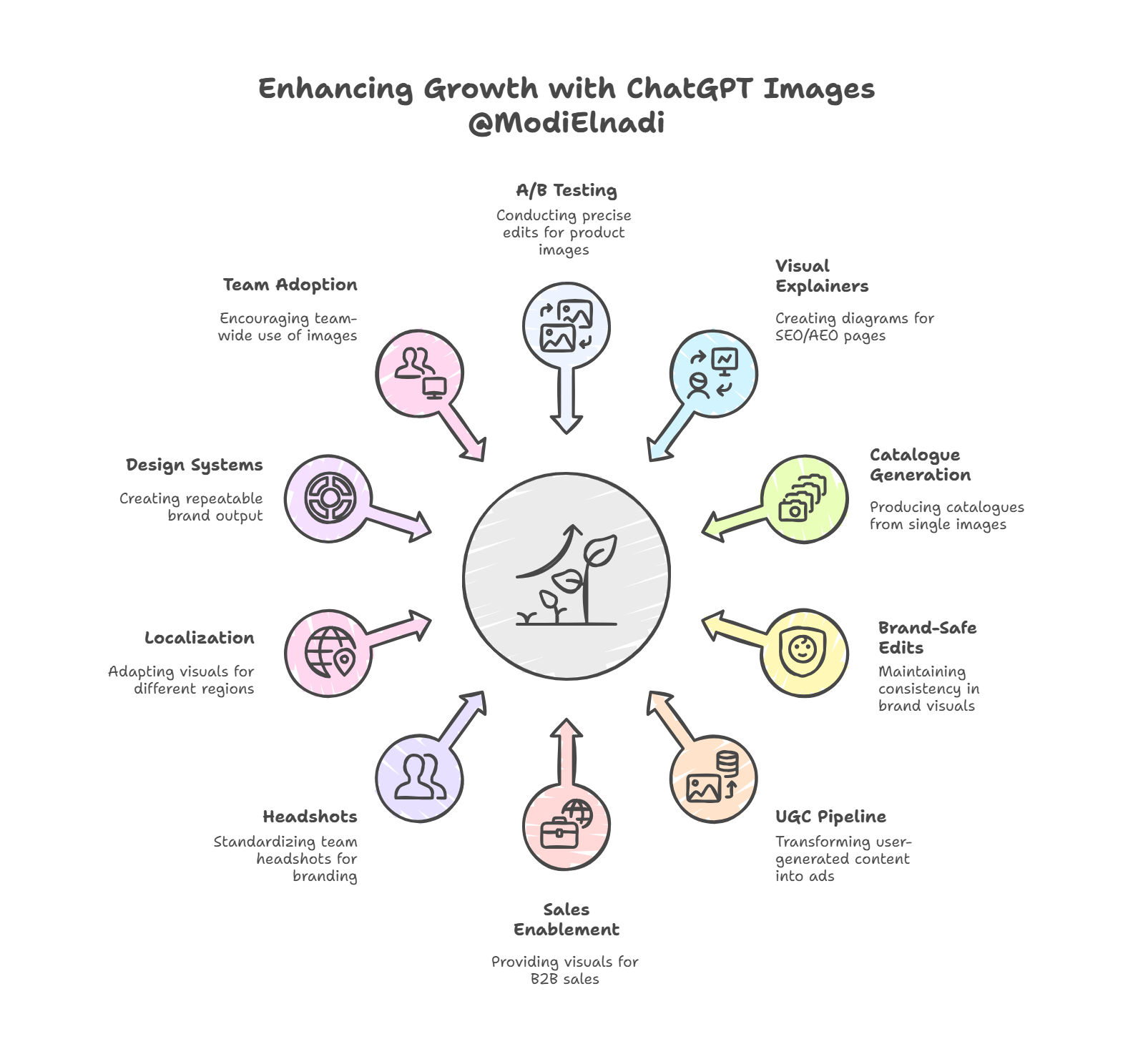
10 Creative Uses for OpenAI Image Generator You’ll Love
ChatGPT Images (powered by GPT Image 1.5) gives growth teams a faster, more controllable way to generate and edit visuals for performance marketing. In this guide, you’ll learn 10 unexpected, practical use cases; ranging from rapid Meta and Google Ads creative testing, product image variants, and brand-safe background swaps, to AI Search/AEO/GEO-friendly visuals and content packaging that helps your work surface in AI answers. We also cover what GPT Image 1.5 is, where it fits in a modern paid media workflow, and the guardrails you need for quality, compliance, and conversion-rate impact.

ChatGPT 5.2 Is Finally Here: What’s New, Why It’s Better, and How It Stacks Up vs Gemini 3 and Claude
GPT-5.2 is here: what’s new, key benchmarks (GDPval, SWE-bench, GPQA, ARC-AGI-2), and how it compares with Gemini 3 and Claude. ChatGPT GPT-5.2 analysed: new Instant/Thinking/Pro tiers, benchmark results, Gemini 3 vs Claude comparisons, and why OpenAI’s “code red” ends by January.
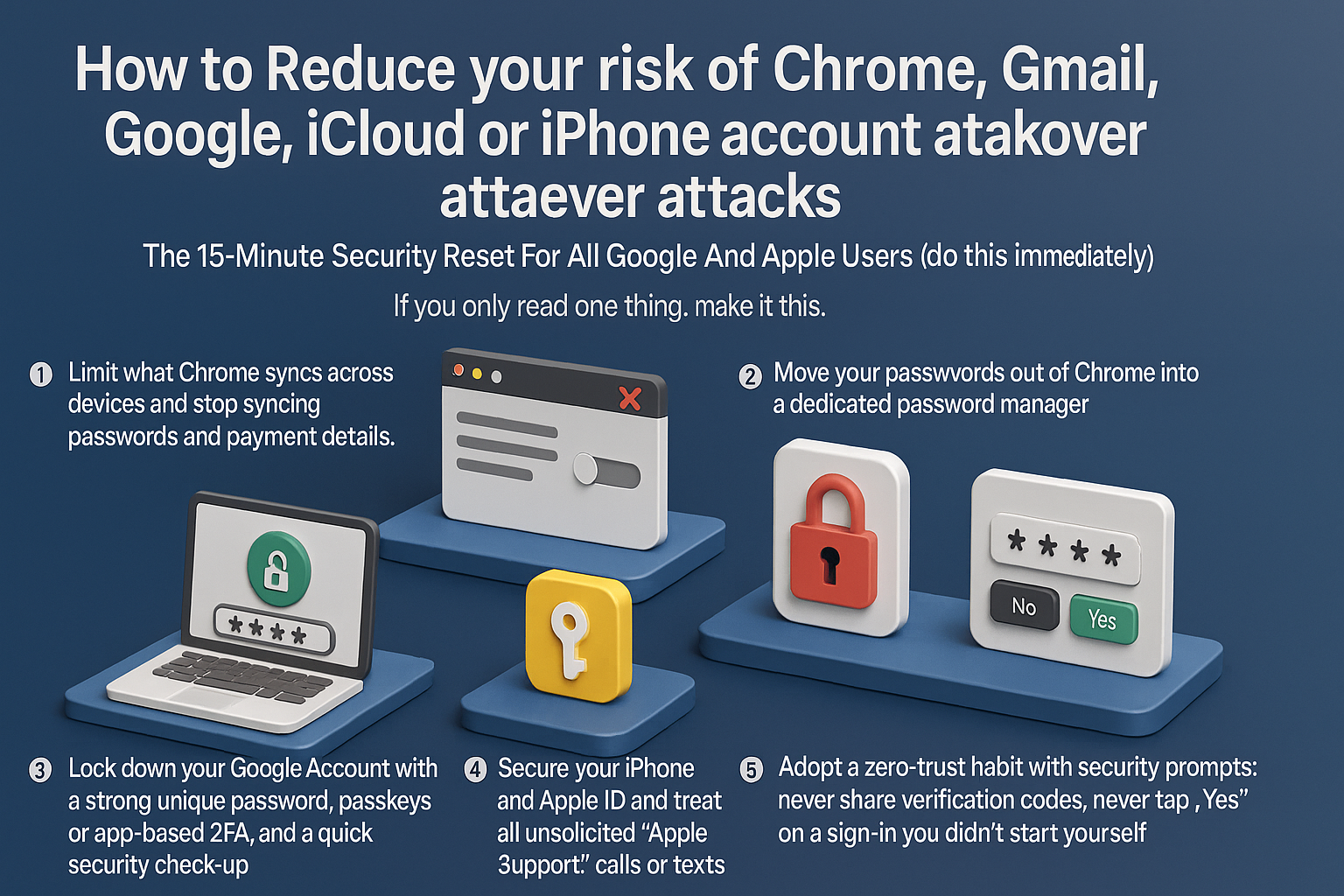
How To Stop Chrome & iPhone Account Takeovers: A 15-Minute Security Reset For Google And Apple Users
To reduce your risk of account takeovers, you must limit browser data exposure and adopt a zero-trust approach to security prompts. Start by disabling Chrome’s ability to sync passwords and payment details; move credentials to a dedicated password manager and delete old synced cloud data. Next, harden your Google and Apple accounts by enabling passkeys or app-based 2FA instead of SMS, and audit browser extensions to remove potential spyware. Crucially, defend against social engineering: never share verification codes, ignore unsolicited “support” calls, and deny any 2FA request you didn’t personally trigger. Attackers now prioritize hijacking browser sessions and manipulating recovery flows over simple password guessing. By isolating your passwords from your browser and refusing to validate unexpected login attempts, you neutralize the primary methods hackers use to compromise your digital identity.